


- 100% free
- No sign-up
- Privacy-first
Free Online Tools for
SEO, Text, Images and PDFs
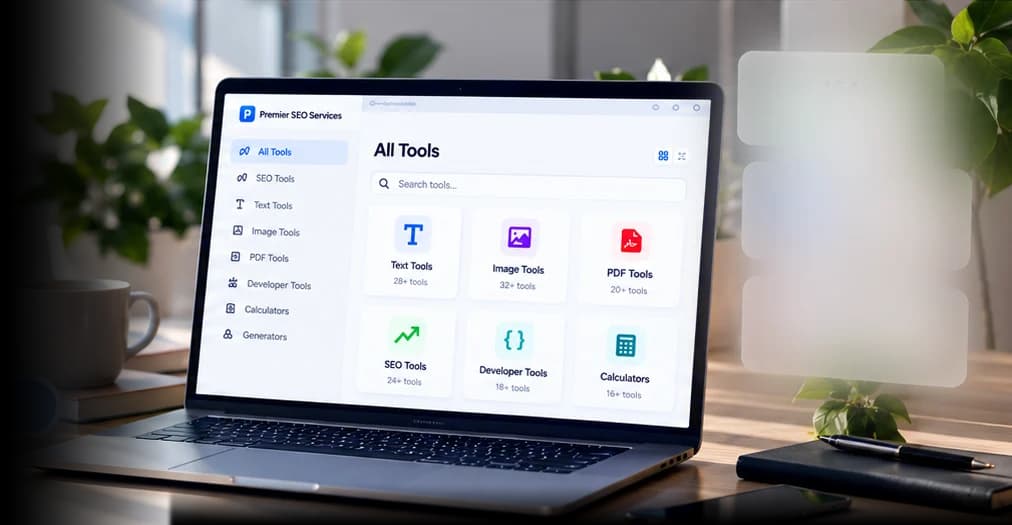
172+ free, fast and easy-to-use tools for everyday work. Find the right one, get the job done, and get on with your day.
Popular:Compress JPGWord counterMerge PDFJSON viewerResize imageRobots.txt
Most-needed tools
Our editors' picks for everyday jobs, ready when you need them.

Word Counter
Count words, characters, sentences and reading time as you type.

Reduce Image Size in KB
Compress photos to any KB or MB limit you type in.

Merge PDF Files
Combine several PDFs into one file in the order you choose.

Compress PDF
Shrink a PDF, keeping text selectable or going for the smallest size.

Image Resizer
Resize images to exact pixels, a percentage or a longest side.
New

HEIC to JPG Converter
Convert iPhone HEIC photos to JPG, many at a time.

JSON Viewer
Validate, format and explore JSON as a searchable tree.

Word to PDF Converter
Convert a Word .docx document to PDF without uploading it.
How it works
Get results in 3 simple steps
No installs, no accounts, no limits. Most tools work directly in your browser.
Step 1
Pick a tool
Search by task, like “compress pdf”, or browse a category.
Step 2
Add your file or text
Paste, type or drop a file. Most tools process it right in your browser.
Step 3
Get your result
Copy or download it straight away. Nothing to install or sign up for.
Browse tools
Tool categories
Everything you need, organized for easy access.
 49 tools
Text tools
Count words, change case, clean up lines and check writing. 9 tools
Binary converters
Convert binary to text, decimal, hex and octal, with the working shown. 26 tools
SEO tools
Check meta tags, redirects, robots.txt, schema and search snippets. 27 tools
Image tools
Compress to an exact KB size, resize, crop and convert images. 26 tools
Developer tools
Format code, convert JSON and CSV, test regex, encode and hash. 9 tools
Website performance tools
Test page speed, page weight, uptime, mobile view and IP details. 12 tools
PDF tools
Merge, split, compress, convert and sign PDF files. 10 tools
Calculators
Work out percentages, GST, EMI, BMI, age and hours, with formulas. 8 tools
Generators and utilities
Make QR codes, barcodes, passwords and test data.
Fast · Private · Reliable
Powerful tools, right in your browser
Every tool is free to use and works instantly. Most never upload your files at all — simple, private and built for getting things done.
- No sign-up requiredStart using any tool instantly.
- 155 run in your browserYour data stays on your device.
- Fast and focusedEach tool does one job well.

Text and content toolkit
Count, clean and reformat text: limits for essays and posts, duplicate lines, broken line breaks and letter case.
Character Counter
Count characters and check text against platform limits.
New

Case Converter
Change text to lowercase, UPPERCASE, Title Case or Sentence case.
Remove Duplicate Lines
Delete repeated lines from a list and keep the original order.
Remove Line Breaks
Join broken lines from PDFs and emails, or add breaks at a set length.
Image and PDF toolkit
Shrink photos for upload forms, convert formats, and split or build PDFs — all in your browser.

Image Compressor
Shrink JPG, PNG and WebP images with a quality slider.

PNG to JPG Converter
Convert PNG images to JPG with a quality and background setting.
Split PDF
Extract pages or split a PDF into separate files by range.
JPG to PDF Converter
Combine JPG, PNG or phone photos into one PDF, one per page.
New
SEO toolkit
Write and check the tags search engines read, preview snippets, and test redirects and robots rules.
Meta Tags Analyzer
Check a page's title, description, robots, canonical and social tags.
Uses our server
SERP Simulator
Preview a Google result on desktop and mobile before you publish.
Redirect Checker
Trace every redirect hop and find loops and long chains.
Uses our server
Robots.txt Generator
Build a robots.txt with crawler rules, AI bot blocks and sitemaps.
Developer and webmaster toolkit
Test regular expressions, encode and decode data, convert timestamps and hash files.
Regex Tester
Test JavaScript regular expressions with live highlighting and groups.
Base64 Encoder / Decoder
Encode and decode Base64 for text, files and image data URIs.
Unix Timestamp Converter
Convert Unix timestamps to dates in any time zone, and back.
Hash Generator
Create MD5 and SHA hashes of text or files and verify checksums.
New
Privacy and trust
How we handle your files and data
Processed on your device
Text, image, PDF, developer and calculator tools run in your browser. Your files and text are not uploaded.
Clearly marked when we fetch
Website checkers must request the address you enter from our server. Those pages say so, and we don't store what we fetch.
No accounts, no invented numbers
No sign-up, no paywall, and no estimates dressed up as data. Where a tool can't measure something, it says so.
Learn
Guides
Step-by-step explanations of the jobs our tools help with.
- Technical SEO
How to investigate a website not showing on Google
Diagnose Google indexing problems using HTTP status, robots rules, canonical tags, rendered content and Search Console. A repair checklist.
3 min readRead guide - Image optimization
How to reduce a photo's size in KB for online forms
Why forms reject photos, what KB, pixel and DPI limits mean, and step-by-step ways to hit 10KB, 20KB, 50KB or 100KB without a blurry result.
6 min readRead guide - Image optimization
JPG vs PNG vs WebP vs AVIF
When to use JPG, PNG, WebP, AVIF or SVG, with file-size comparisons, transparency and browser support explained, plus how to convert between them.
6 min readRead guide - PDF workflows
How to reduce PDF file size
Why PDFs get large and how to shrink them: image downsampling, grayscale scans, removing pages and fonts, and what to do when a portal wants 100KB.
6 min readRead guide
Common questions
Frequently asked questions
Are the tools free to use?
Yes. Every tool is free with no sign-up and no usage limits. The site has no paid tier.
Are my files uploaded to a server?
Not for the text, image, PDF, developer and calculator tools: they run in your browser. Tools that check a live website (redirects, status codes, page speed) have to fetch that site from our server, and each of those pages says so. See the privacy policy for details.
Do I need an account?
No. There are no accounts. A few tools remember your settings (for example a preferred image quality) in your own browser's storage.
How do I report a tool that isn't working?
Use the “Report a problem” link at the bottom of any tool page, or the report form. Tell us what you expected and what happened.